
When comparing screen printing vs UV printing for plastic parts, the short answer is straightforward: screen printing is usually the stronger choice for solid spot colors, high opacity and repeat production, while UV digital printing is often better for gradients, photographs, many colors, design variations and shorter runs. However, neither process is automatically the best or most durable for every plastic part. The correct choice depends on the exact resin grade, surface finish, artwork, print area, quantity, end-use environment and required test results.
For a simple two-color control panel produced repeatedly, screen printing may provide better color control and production economics. For a small batch of plastic housings with full-color graphics, UV printing may avoid several screens and reduce setup. A production sample should still be tested on the actual part before either process is approved.
In this guide, UV printing means direct-to-part UV inkjet printing, typically performed on a UV flatbed printer. It does not mean screen printing with a UV-curable screen ink.
How Screen Printing and UV Printing Differ
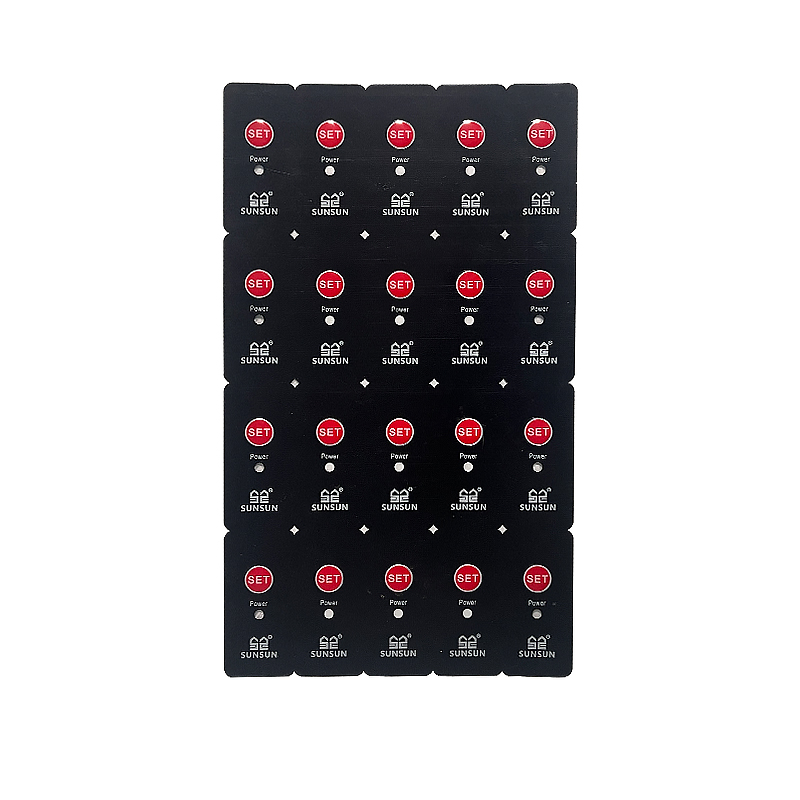
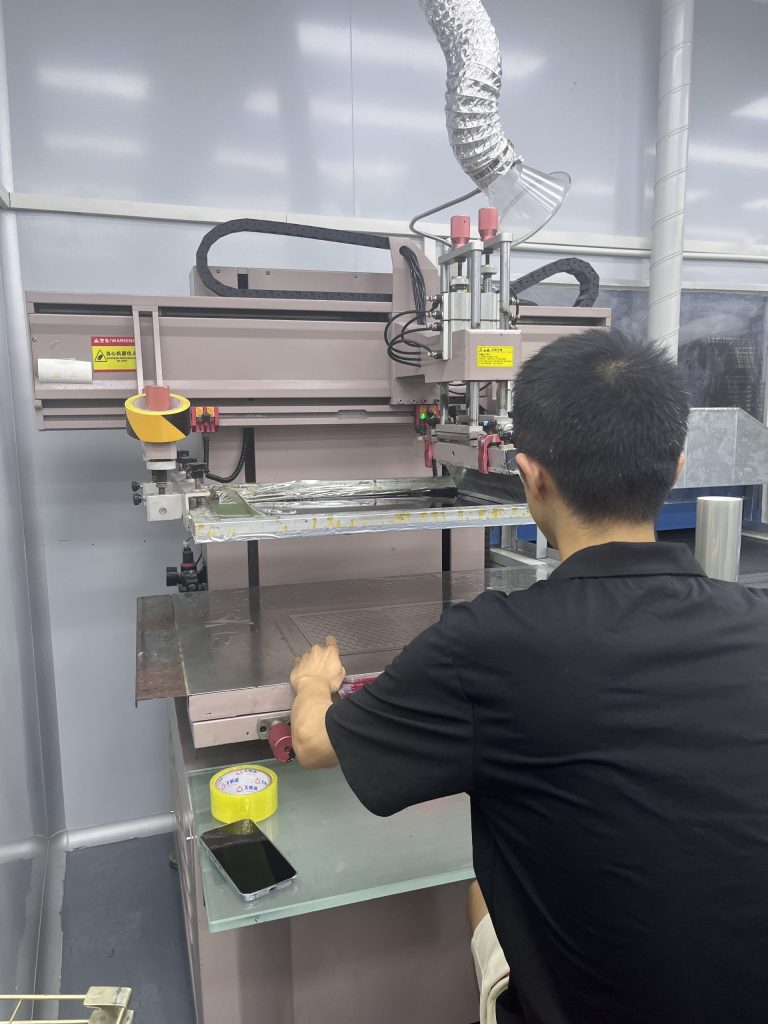
In screen printing, ink is pushed through the open areas of a stenciled mesh screen onto the plastic surface. Each spot color normally requires its own screen, ink preparation, alignment and print pass. The process is well suited to bold graphics, controlled spot colors, opaque backgrounds and repeat industrial production. Learn more about XYW’s screen printing services.
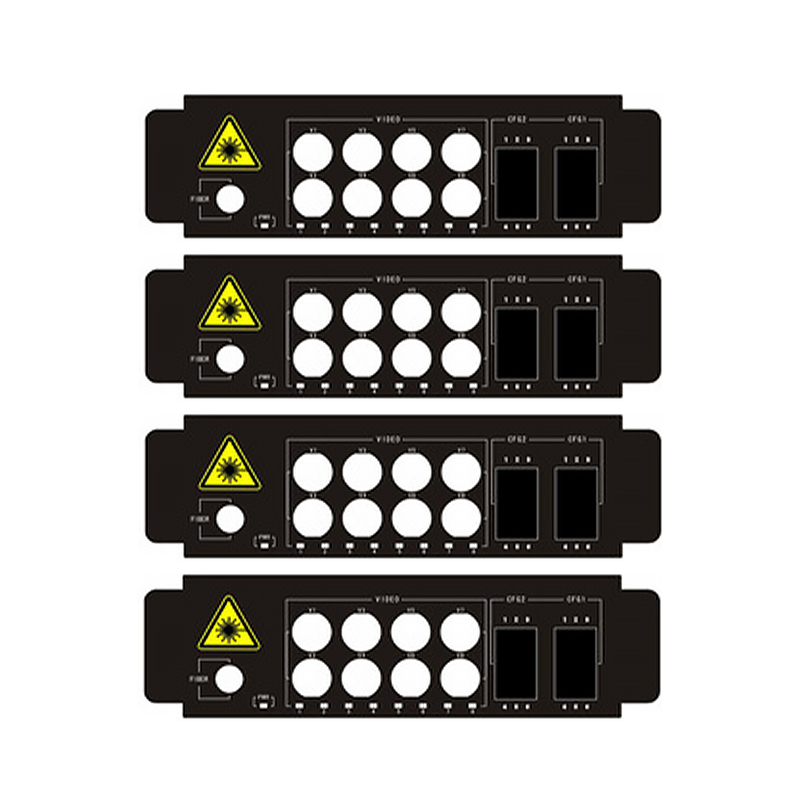
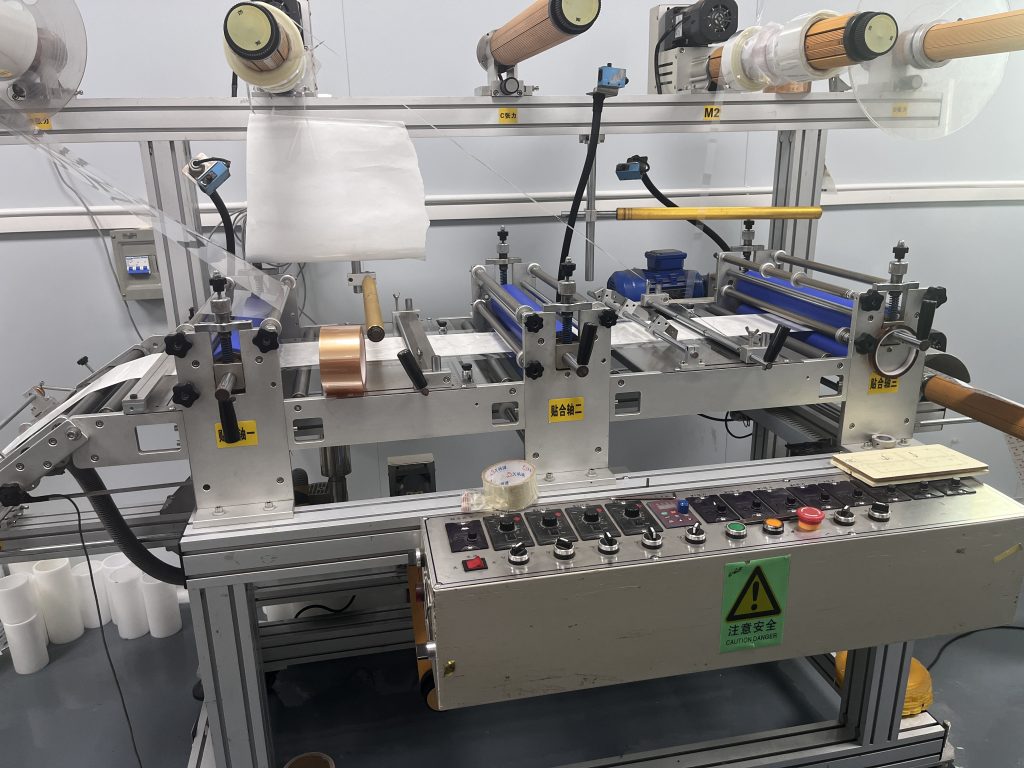
In UV digital printing, an inkjet printhead deposits small droplets directly onto the part, and UV lamps cure the ink during printing. Multiple process colors can be printed from one digital artwork file, often with white ink when the machine and job configuration support it. This makes UV printing useful for detailed multicolor graphics, gradients, photographs, prototypes and product variations. See XYW’s UV printing services.
Both processes require a stable printing surface, suitable ink chemistry and controlled preparation. Part height, flatness, texture and curvature also affect whether the equipment can maintain print quality and registration.
| Purchasing factor | Screen printing | UV digital printing |
|---|---|---|
| Working principle | Ink passes through a stenciled mesh screen; usually one screen and print pass per spot color | Inkjet heads deposit digital artwork directly onto the part and UV light cures the ink |
| Suitable parts | Flat or suitably fixtured plastic sheets, films, panels and housings; actual geometry must be reviewed | Primarily flat or nearly flat sheets, panels and housings within the printer’s height and flatness limits |
| Suitable plastics | PC, PET, acrylic and many molded plastics when the ink, cleaning and pretreatment are compatible | PC, PET, acrylic and many molded plastics when UV ink adhesion and part geometry are validated |
| Spot colors | Strong choice for specified spot colors, solid fills and repeat color control | Usually simulates colors through a digital ink set; exact spot-color matching may be limited by gamut |
| Full-color artwork | Possible, but every added color or process setup increases complexity | Strong choice for CMYK artwork, gradients, photographs and many-color designs |
| Ink build and opacity | Usually offers a heavier ink deposit and strong opacity; additional passes may be possible | White and layered printing may improve opacity, but the result depends on the printer, ink set and settings |
| Fine text and line art | Can produce sharp industrial legends when mesh, stencil, ink and registration are controlled | Well suited to fine detail and complex artwork, subject to resolution, drop control and surface condition |
| Adhesion and wear | Can be excellent with the correct ink system, cure and substrate preparation | Can be excellent with compatible UV ink and preparation; some flexible parts need extra validation |
| Pre-production setup | Screens, color mixing, registration and fixtures may be required | No color-separated screens; artwork setup, color profiling and fixtures may still be required |
| Short-run economics | Setup can dominate a small order, especially with several colors | Often economical for short multicolor runs and designs with multiple variants |
| Repeat-volume economics | Setup cost can be spread across the order; often efficient for stable repeat graphics | Can remain practical, but print time and digital ink consumption must be compared for the actual job |
Color, Detail, Opacity and Finished Appearance
Spot Colors and Full-Color Graphics
Screen printing is often selected when an industrial brand color, safety color or solid background must be reproduced consistently. Ink can be mixed to an approved Pantone, RAL or physical sample, although the perceived color can still change with the substrate color, gloss, ink film thickness and lighting. A signed color sample is more reliable than approving from a monitor.
UV digital printing builds most colors from its available digital ink channels. It is particularly useful for artwork containing gradients, shadows, photographs or many colors because those elements do not require a separate physical screen for every color. However, some saturated spot colors lie outside the printer’s reproducible gamut. A digital proof or printed sample should be approved when color is critical.
Ink Thickness, White Ink and Opacity
Screen printing generally deposits a thicker ink film than UV inkjet printing. This can help produce opaque white, high-contrast legends and solid color fields on dark or transparent plastics. Mesh count, stencil thickness, ink rheology and the number of passes all influence the result.
UV printers may use white ink beneath or above CMYK graphics on dark or transparent parts. Multiple layers can increase opacity, but they also affect print time, surface relief, flexibility and cost. For clear PC, PET or acrylic, specify whether the artwork is viewed through the material and whether the print order must be reversed.
Fine Text, Gradients and Photographic Images
UV digital printing is usually the more direct route for smooth gradients, photographic content and frequent design changes. Screen printing remains highly capable for crisp text, symbols and line graphics, but halftones and four-color process images require more screens, tighter registration and more process control.
Minimum text size and line width should not be approved from the artwork alone. The supplier should print the smallest critical features on the production material, then evaluate edge definition, fill-in, pinholes and readability at the intended viewing distance.
Adhesion, Abrasion and Outdoor Performance
Neither method wins durability by process name alone. Performance is controlled by the complete combination of plastic grade, surface energy, molded-in additives, cleaning, pretreatment, ink, cure, print location and exposure conditions.
A well-matched screen ink may provide excellent adhesion and chemical resistance. A compatible UV ink may also perform well, but rigid UV inks can be unsuitable for a film that will later bend or be embossed. Outdoor use introduces additional variables such as ultraviolet exposure, temperature cycling, moisture and color-fade requirements. If the part will be used outdoors, request evidence for the proposed ink and substrate combination and confirm it with an agreed test plan.
Cost by Setup, Quantity and Artwork
There is no universal order quantity at which one method becomes cheaper. A useful comparison must include the number of colors, print area, part loading time, fixture design, opacity requirement, expected scrap, inspection level and repeat-order forecast.
Screen printing normally carries front-end costs for artwork separation, screens, spot-color preparation, machine setup and registration. Once those items are approved, the setup cost can be distributed across a repeat production quantity. A stable one- or two-color design may therefore be economical at volume.
UV printing avoids a separate screen for each color, which can reduce front-end cost for complex artwork and small batches. Its unit cost is still influenced by print area, resolution, white ink coverage, number of layers, print speed and part handling. Large opaque areas or slow multi-layer printing may change the comparison significantly.
Use these examples as direction, not fixed rules:
- Twenty prototype housings with full-color graphics: UV printing will often be the first process to quote.
- Five thousand repeat panels with two solid spot colors: Screen printing will often deserve the first cost comparison.
- Five hundred dark ABS housings with one opaque white logo: Both methods may be viable, so compare printed samples, setup cost, cycle time and test results.
- One product family with many names, serial graphics or language variants: UV printing may reduce screen changes and inventory complexity.
For an accurate comparison, request both the initial setup charge and the recurring unit price. Also ask how future artwork changes, replacement screens, fixtures and color approvals will be charged.
Choosing a Process for PC, PET, Acrylic and Plastic Housings
The best printing method for plastic starts with the exact material designation, not only the broad polymer name. Two parts described as “ABS” can behave differently because of resin grade, pigment, texture, mold-release residue or supplier variation.
| Plastic part | When screen printing is often considered | When UV printing is often considered | What must be confirmed |
|---|---|---|---|
| Polycarbonate (PC) sheet or film | Solid spot colors, opaque backgrounds, reverse-printed panels and repeat production | Detailed multicolor graphics, prototypes and short-run panels | Film grade, coating, print side, forming or bending after print, chemical exposure |
| Polyester (PET) film | Graphic overlays, solid colors and applications needing an ink system compatible with flexing | Short-run detailed artwork when the selected UV ink tolerates the required bending or processing | Film treatment, flexing, embossing, reverse print construction and adhesion after forming |
| Acrylic (PMMA) sheet | Opaque spot colors, logos and repeat decorative panels | Photographs, gradients, many colors and shorter custom panel runs | Cast or extruded grade, print side, edge stress, cleaning chemicals and white-ink opacity |
| ABS or PC/ABS housing | Logos, legends and repeat one- or two-color industrial graphics | Multicolor graphics, product variants and shorter batches on printable surfaces | Texture, mold release, curvature, fixture, pretreatment, ink compatibility and abrasion |
| PP or PE housing | Possible only with a validated ink and often surface treatment or primer | Possible only with a validated UV ink and often surface treatment or primer | Low surface energy, treatment level, treatment aging, handling and production-lot consistency |
For screen printing on plastic film or flat panels, reverse printing may protect the graphic behind a transparent substrate. This is common in control-panel constructions, but it changes color order, white backing and viewing-side requirements. Review these details with the screen printing team before artwork separation.
For UV printing on plastic, confirm the maximum part dimensions and height, printable-area flatness, head clearance and fixture method. A flatbed printer cannot automatically follow every curved or recessed housing. Send a drawing or representative part to the UV printing team for a manufacturability review.
If the printable area is strongly curved, deeply recessed or interrupted by ribs, neither of these plastic printing methods may be ideal. The supplier should evaluate whether pad printing, a label, an overlay or another decoration process is more appropriate.
Why Test Adhesion and Abrasion Before Production
Ink that looks correct immediately after printing can still fail after curing, handling, cleaning or environmental exposure. Formal production should therefore be based on a sample made from the actual production material, not a generic sheet with a similar polymer name.
A practical pre-production qualification should cover the following points:
- Identify the production substrate. Record the resin or film grade, supplier, color, surface finish, coating and production lot where relevant.
- Control cleaning and pretreatment. Define how parts are cleaned and whether flame, plasma, corona or primer treatment is required. Treatment effectiveness can change with time and handling.
- Print with the proposed production process. Use the intended ink, color layers, white backing, cure settings and fixture rather than a simplified demonstration sample.
- Allow the specified conditioning time. Some ink systems continue to develop adhesion after printing or curing. Test at the agreed interval.
- Check adhesion. Use an agreed crosshatch, tape-pull or customer-specified method and document the acceptance criteria.
- Check abrasion and repeated cleaning. Test the actual contact material, load, cycle count and cleaning agent expected in service whenever possible.
- Add application-specific tests. These may include chemical exposure, humidity, temperature cycling, UV weathering, flexing or embossing, depending on the product.
- Approve a signed reference sample. Keep a controlled sample for color, position, appearance and workmanship comparison during production.
Testing must be defined before the order, including the method, conditioning, number of samples and pass/fail criteria. Terms such as “scratch resistant,” “chemical resistant” or “outdoor grade” are too broad to approve without conditions. A result from one PC, PET, acrylic or molded-plastic grade should not automatically be applied to another.
Frequently Asked Questions
Is UV printing better than screen printing on plastic?
Not in every application. UV printing is often better for multicolor detail, gradients, photographs, variants and shorter runs. Screen printing is often better for controlled spot colors, high opacity, simple industrial graphics and repeat production. Material compatibility and test results can override those general rules.
Which process lasts longer on a plastic housing?
The process name alone does not determine service life. The exact plastic, surface preparation, ink, cure, print location, wear, chemicals and outdoor exposure all matter. Compare samples printed on the production housing using an agreed adhesion and abrasion test.
Can both processes print on PC, PET and acrylic?
Yes, both processes can be used on many PC, PET and acrylic grades, but compatibility is grade- and construction-specific. Coatings, surface treatments, reverse printing, bending, embossing and cleaning exposure must be reviewed before production.
Which process is cheaper for a small order?
UV printing is often more economical for a small multicolor order because it does not require one physical screen per color. A simple one-color screen-printed job may still be competitive. Print area, fixture cost, white ink, part handling and required testing must be included in the quote.
What information is needed to recommend a printing method?
Provide the exact material or a representative part, editable artwork, overall part dimensions, print size, color references, quantity per batch, expected annual volume and end-use conditions. Also identify any adhesion, abrasion, chemical or outdoor test requirements.
Need Help Choosing the Printing Process?
Send us your material, artwork, print size and order quantity. We will recommend screen printing or UV printing for your application.
For a faster review, also include part dimensions, plastic grade, required colors, viewing side, surface finish, expected annual volume and service environment.